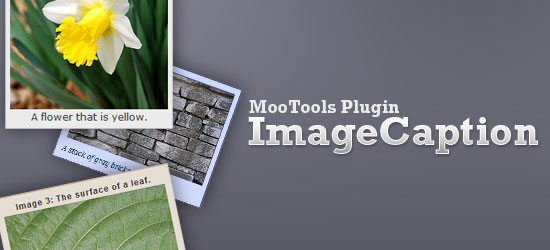
ImageCaption is a MooTools 1.2+ plugin for easily adding figure captions to image elements on a web page. It is very customizable and painless to style.
This plugin follows (to the best of my abilities) standard MooTools coding style/format and documentation (see below, in the section More Information). This plugin is based on a MooTools tutorial I wrote a while back, called "How to Auto Caption Images Using MooTools".
Demonstration
You can click on the following image to see a live demonstration of ImageCaption.

Download
Download the plugin as a zip file here.
- Latest version: ImageCaption.zip (ZIP, 0.1MB)
Basic Implementation
- Download the MooTools core library.
- Download the ImageCaption plugin (it’s a ZIP file).
- Place the MooTools core library inside your working directory.
- Extract ImageCaption.js (it’s inside ImageCaption.zip) inside your working directory.
To caption all images in a web page, use the following example in your HTML document (be sure to modify the src attribute value as neccesary, to match the location and file name of your JavaScript libraries).
<head>
<script type="text/javascript" src="mootools-yui-compressed.js"></script>
<!-- ImageCaption -->
<script type="text/javascript" src="ImageCaption.js"></script>
<script type="text/javascript">
$(window).addEvent('domready', function(){
// Basic implementation
var basicCaption = new ImageCaption($$('img'));
});
</script>
</head>
More Information
Here are additional documentation for this plugin (following a similar format to MooTools Docs).
Class: ImageCaption
Automatically captions img elements with their alt (or title) property.
Syntax/Usage
var imagecaption = new ImageCaption(images[, options]);
Arguments
- images (array) – the images to be captioned.
Options
wrapperClass(string, defaults to:'imageCaption') – the class of the wrapper element.wrapperType(string, defaults to:'span') – the element type of the wrapper element.captionType(string, defaults to:'span') – the element type of the caption element.captionPosition(string, defaults to:'after') – where to inject the caption element relative to the img element being captioned.
Examples
View the ImageCaption demo page to see basic implementation examples of the plugin.
License
This script is available free to the public with an MIT-style license.
Changelog
- ImageCaption-1.0: (08/09/2009) – Plugin released.

No comments:
Post a Comment
Note: Only a member of this blog may post a comment.